Use the Data Tools Directly
Upload your CSV. Get FAIR-compliant data back. No CKAN account required.
The Mat-O-Lab data tools run as public web services. You can submit a CSV file — say, a tensile test table from your lab — and receive a structured, machine-readable output within seconds. This guide walks you through each tool and a complete worked example using real steel measurement data.
What you need before you start
- Your CSV file, or a public link to it (e.g. a GitHub raw URL or a direct download link from your lab system)
- A mapping file (.yaml) — either one your data curator has prepared for you, or one generated by MapToMethod (see below)
No installation. No account. No command-line knowledge needed.
The three tools
| Tool | What it does | Web UI | API explorer |
|---|---|---|---|
| CSVToCSVW | Reads your CSV and adds structured column descriptions | csvtocsvw.matolab.org | /api/docs |
| MapToMethod | Generates the mapping file that links your columns to standard concepts | maptomethod.matolab.org | /api/docs |
| RDFConverter | Applies the mapping and produces FAIR-compliant output | rdfconverter.matolab.org | /api/docs |
Run them in order — CSVToCSVW first, RDFConverter last. MapToMethod is needed only when setting up a new measurement type.
Step 1 — Annotate your CSV (CSVToCSVW)
Go to csvtocsvw.matolab.org.
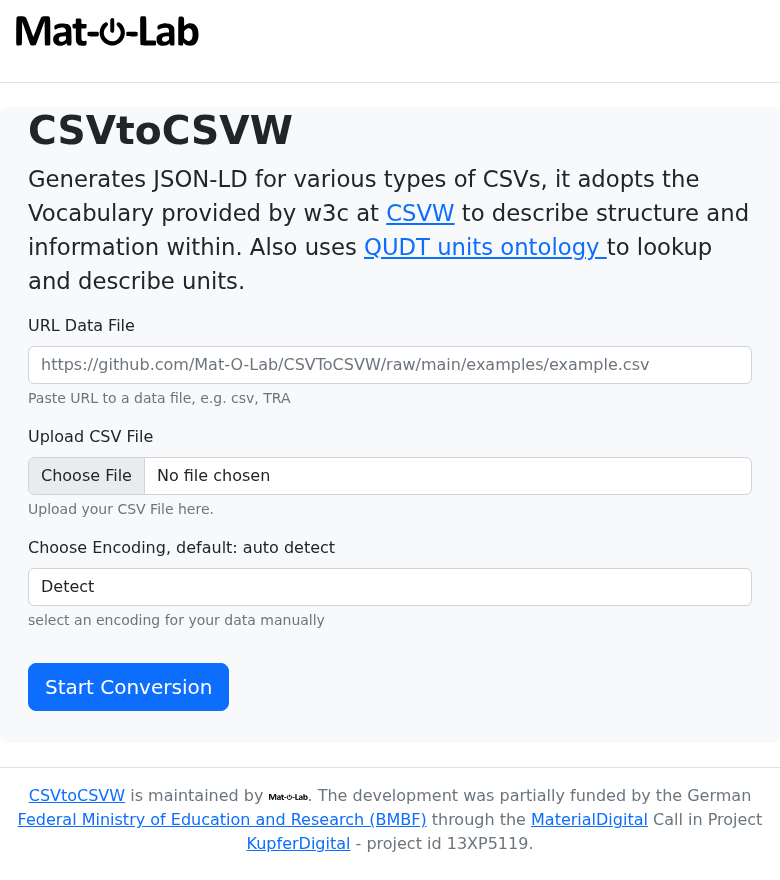
You will see a form with a field labelled URL Data File.
Paste the URL of your CSV file into that field, then click Execute.
The service reads your CSV columns (names, units, separators) and returns an annotated description file in JSON-LD format — a standard way of attaching meaning to your data. Save this file; you will need it in Step 3.
Worked example — INSTRON tensile test data
This real CSV from the IOFMaterialsTutorial repository contains three columns: Zeit [s], Maschine [mm], and Kraft [kN] — time, displacement, and force from a steel tensile test.
Try it yourself — Step 1: Annotate a CSV
- Open csvtocsvw.matolab.org
- Find the annotate form
- Fill data_url:
- Leave encoding as
auto - Click Execute
The response is a JSON-LD file — your CSVW. Save it or copy the URL from the response header; you need it in Step 3.
Local file? Use the annotate_upload form instead — upload the file directly. Same result, no public URL needed.
curl -X POST "https://csvtocsvw.matolab.org/api/annotate?return_type=json-ld" \
  -H "Content-Type: application/json" \
  -d '{"data_url": "https://github.com/Mat-O-Lab/CSVToCSVW/raw/main/examples/example2.csv",
       "encoding": "auto"}' \
  --output example2-metadata.json
For a local file:
curl -X POST "https://csvtocsvw.matolab.org/api/annotate_upload?return_type=json-ld" \
  -F "file=@/path/to/your/sample.csv" \
  --output sample.csvw.json
✓ Expected: a JSON-LD file with @type: csvw#TableGroup and columns each carrying a qudt:unit annotation.
Step 2 — Explore column types (MapToMethod)
When to use this step
This step is used when setting up a new type of measurement — to understand what standard concepts your columns correspond to. If your data curator has already prepared a mapping file for your measurement type, you can skip to Step 3.
Go to maptomethod.matolab.org.
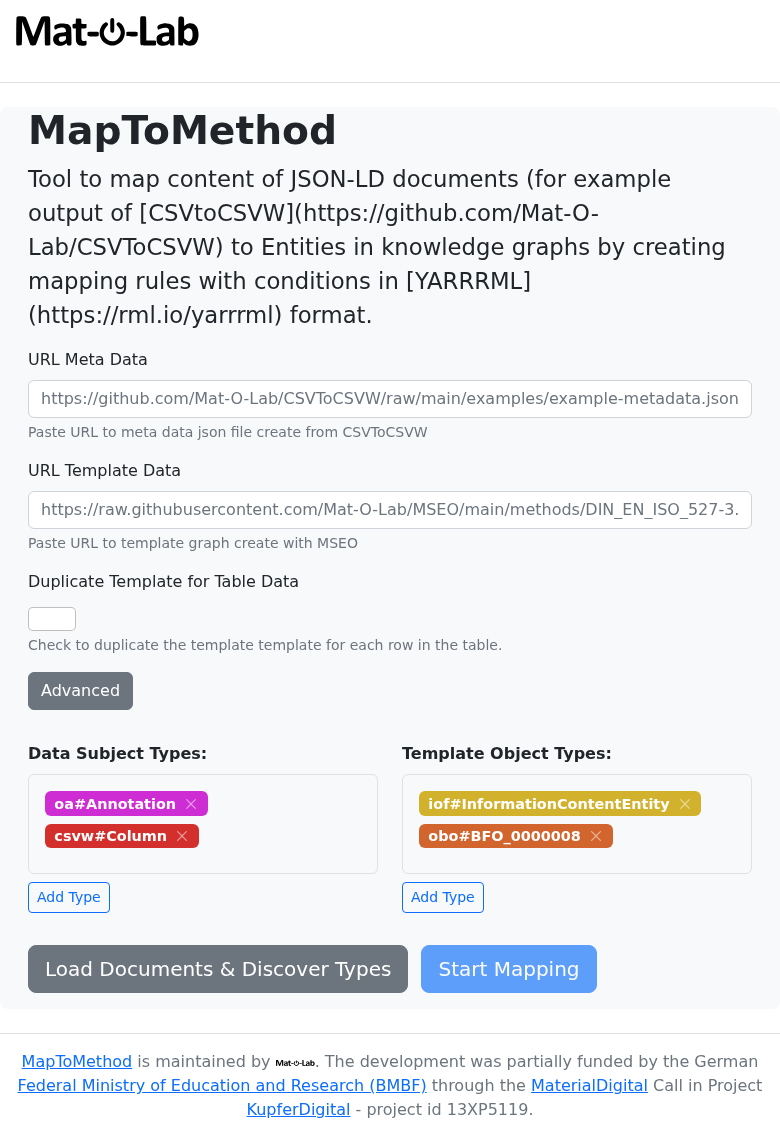
The types form shows you which categories of scientific concepts appear in your annotated file. The entities form lists your individual columns with their internal names — the identifiers you will need when building a mapping.
Try it yourself — Step 2: Explore column types
- Open maptomethod.matolab.org
- Find the types form
- Fill url:
- Click Execute
The result lists RDF type IRIs found in the file — e.g. csvw#Column, qudt/DerivedUnit. This tells you what the service can map.
To generate a mapping, use the mapping form. You need the CSVW URL, a template .ttl URL (from your data curator), and a column-to-slot assignment. See Author a Mapping for the full walkthrough.
Explore types:
curl "https://maptomethod.matolab.org/api/types?url=https://raw.githubusercontent.com/Mat-O-Lab/IOFMaterialsTutorial/main/measurements-metadata.json"
✓ Expected:
["http://qudt.org/schema/qudt/DerivedUnit", "http://www.w3.org/ns/csvw#Column",
 "http://www.w3.org/ns/csvw#TableGroup", "http://www.w3.org/ns/prov#Activity",
 "http://www.w3.org/ns/prov#SoftwareAgent"]
Generate a mapping (IOFMaterialsTutorial example):
curl -X POST "https://maptomethod.matolab.org/api/mapping" \
  -H "Content-Type: application/json" \
  -d '{
    "data_url":     "https://raw.githubusercontent.com/Mat-O-Lab/IOFMaterialsTutorial/main/measurements-metadata.json",
    "template_url": "https://github.com/Mat-O-Lab/IOFMaterialsTutorial/raw/main/LengthMeasurement.ttl",
    "predicate":    "http://purl.obolibrary.org/obo/RO_0010002",
    "map": {
      "table-1-LengthMm": "https://github.com/Mat-O-Lab/IOFMaterialsTutorial/raw/main/LengthMeasurement.ttl/LengthData"
    }
  }' \
  --output my-mapping.yaml
✓ Expected: a YARRRML .yaml file ready for use in Step 3.
See Author a Mapping for a full walkthrough of building the mapping from scratch.
Step 3 — Convert to FAIR data (RDFConverter)
Go to rdfconverter.matolab.org.
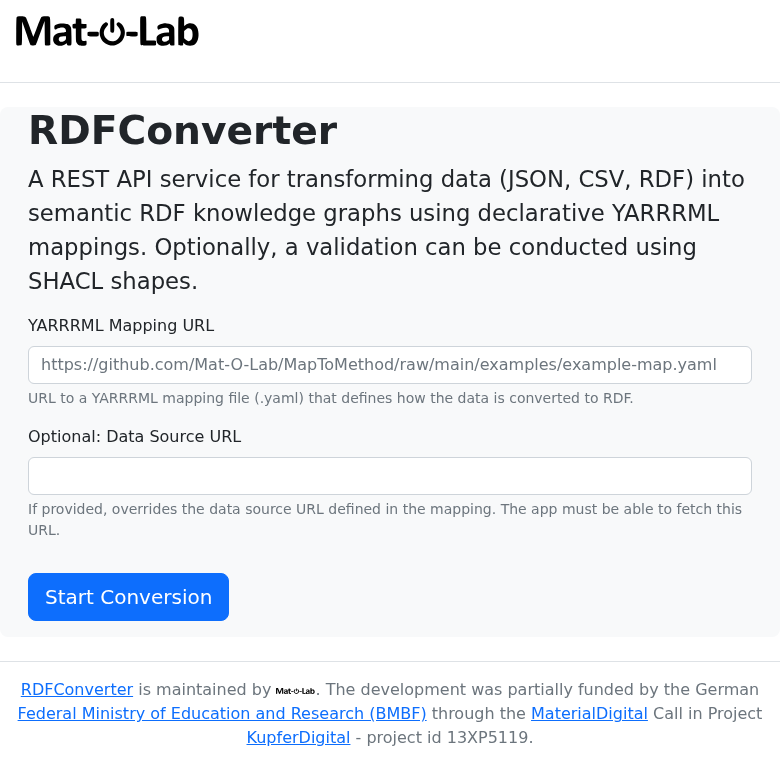
First, validate your mapping (recommended):
Use the checkmapping form. Paste the URL of your CSVW file and the URL of your mapping file into the two fields, then click Execute.
The result shows two numbers:
rules_applicable— how many mapping rules matched your datarules_skipped— how many rules were skipped because they did not match
If rules_skipped is 0, everything matched. If it is greater than 0, check Author a Mapping — Troubleshooting before continuing.
Then, produce the output:
Use the createrdf form. Paste the mapping URL and choose turtle as the return type, then click Execute.
Try an existing mapping on your own data
The Optional: Data Source URL field lets you override the data URL that is hardcoded inside the mapping file. This means you can take any published mapping (e.g. from the real datasets table below), point it at your own similarly-formatted CSVW, and test whether the mapping works for your data — without modifying the mapping file at all. Leave the field empty to use the data URL embedded in the mapping.
This is also exactly how the CKAN integration works. For CSV uploads, CKAN generates the CSVW and then calls RDFConverter with the mapping URL and the CSVW URL as the data source override. For Catena-X JSON payloads, CKAN passes the actual JSON file URL as the override — this is what lets a single SAMM mapping file apply to every incoming payload and automatically identify which SAMM aspect model it belongs to.
The service applies the mapping and returns a .ttl file — a FAIR knowledge graph. This file contains your measurement data enriched with standardised scientific concepts, ready for sharing, archiving, or querying.
Try it yourself — Step 3: Validate and convert
Validate first (recommended):
- Open rdfconverter.matolab.org
- Find the checkmapping form
- Fill mapping_url:
- Fill data_url:
- Click Execute
✓ Expected: rules_applicable: 1, rules_skipped: 0
Then produce the knowledge graph:
- Find the createrdf form
- Fill the same mapping_url and data_url as above
- Set return_type to
turtle - Click Execute
The result is your .ttl knowledge graph — download or copy the content.
Validate:
curl -X POST "https://rdfconverter.matolab.org/api/checkmapping" \
  -G \
  --data-urlencode "mapping_url=https://raw.githubusercontent.com/Mat-O-Lab/IOFMaterialsTutorial/main/measurements-map.yaml" \
  --data-urlencode "data_url=https://raw.githubusercontent.com/Mat-O-Lab/IOFMaterialsTutorial/main/measurements-metadata.json"
✓ Expected: {"rules_applicable": 1, "rules_skipped": 0}
Convert:
curl -X POST "https://rdfconverter.matolab.org/api/createrdf?return_type=turtle" \
  -G \
  --data-urlencode "mapping_url=https://raw.githubusercontent.com/Mat-O-Lab/IOFMaterialsTutorial/main/measurements-map.yaml" \
  --data-urlencode "data_url=https://raw.githubusercontent.com/Mat-O-Lab/IOFMaterialsTutorial/main/measurements-metadata.json" \
  --output measurements-joined.ttl
✓ Expected: a Turtle file with PMDco process nodes and QUDT quantity values.
Real datasets to explore
These are complete, published examples you can use immediately in any of the forms above:
| Dataset | CSV file | Mapping | FAIR output |
|---|---|---|---|
| IOFMaterialsTutorial — steel length measurements | measurements.csv | measurements-map.yaml | measurements-joined.ttl |
| BAMresearch DF-TEM-PAW — particle detection runs | detection_runs.csv | detection_runs-map.yaml | detection_runs-joined.ttl |
For developers and scripted pipelines
The web forms above call the same HTTP API endpoints that can be called from scripts or CI/CD pipelines. If you are comfortable with command-line tools, the sections below show how to run the same steps using curl.
CSVToCSVW — annotate from URL
curl -X POST "https://csvtocsvw.matolab.org/api/annotate?return_type=json-ld" \
  -H "Content-Type: application/json" \
  -d '{"data_url": "https://github.com/Mat-O-Lab/CSVToCSVW/raw/main/examples/example2.csv",
       "encoding": "auto"}' \
  --output example2-metadata.json
For private (local) files, use the upload endpoint:
curl -X POST "https://csvtocsvw.matolab.org/api/annotate_upload?return_type=json-ld" \
  -F "file=@/path/to/local/sample.csv" \
  --output sample.csvw.json
MapToMethod — explore types and generate a mapping
curl "https://maptomethod.matolab.org/api/types?url=https://raw.githubusercontent.com/Mat-O-Lab/IOFMaterialsTutorial/main/measurements-metadata.json"
["http://qudt.org/schema/qudt/DerivedUnit", "http://www.w3.org/ns/csvw#Column",
 "http://www.w3.org/ns/csvw#TableGroup", "http://www.w3.org/ns/prov#Activity",
 "http://www.w3.org/ns/prov#SoftwareAgent"]
curl -X POST "https://maptomethod.matolab.org/api/mapping" \
  -H "Content-Type: application/json" \
  -d '{
    "data_url":     "https://raw.githubusercontent.com/Mat-O-Lab/IOFMaterialsTutorial/main/measurements-metadata.json",
    "template_url": "https://github.com/Mat-O-Lab/IOFMaterialsTutorial/raw/main/LengthMeasurement.ttl",
    "predicate":    "http://purl.obolibrary.org/obo/RO_0010002",
    "map": {
      "table-1-LengthMm": "https://github.com/Mat-O-Lab/IOFMaterialsTutorial/raw/main/LengthMeasurement.ttl/LengthData"
    }
  }' \
  --output my-mapping.yaml
RDFConverter — validate and convert
curl -X POST "https://rdfconverter.matolab.org/api/checkmapping" \
  -G \
  --data-urlencode "mapping_url=https://raw.githubusercontent.com/Mat-O-Lab/IOFMaterialsTutorial/main/measurements-map.yaml" \
  --data-urlencode "data_url=https://raw.githubusercontent.com/Mat-O-Lab/IOFMaterialsTutorial/main/measurements-metadata.json"
curl -X POST "https://rdfconverter.matolab.org/api/createrdf?return_type=turtle" \
  -G \
  --data-urlencode "mapping_url=https://raw.githubusercontent.com/Mat-O-Lab/IOFMaterialsTutorial/main/measurements-map.yaml" \
  --data-urlencode "data_url=https://raw.githubusercontent.com/Mat-O-Lab/IOFMaterialsTutorial/main/measurements-metadata.json"
{
  "filename": "measurements-metadata-joined.ttl",
  "graph": "@prefix iof: ...\n<.../table-1-LengthMm> ...",
  "num_mappings_applied": 1,
  "num_mappings_skipped": 0
}
Full pipeline shell script
CSV → CSVW → validate → RDF in one script, using real IOFMaterialsTutorial data:
#!/usr/bin/env bash
set -e

CSV_URL="https://raw.githubusercontent.com/Mat-O-Lab/IOFMaterialsTutorial/main/measurements.csv"
MAPPING_URL="https://raw.githubusercontent.com/Mat-O-Lab/IOFMaterialsTutorial/main/measurements-map.yaml"

# Step 1: Annotate CSV → CSVW JSON-LD
curl -s -X POST "https://csvtocsvw.matolab.org/api/annotate?return_type=json-ld" \
  -H "Content-Type: application/json" \
  -d "{\"data_url\": \"${CSV_URL}\", \"encoding\": \"auto\"}" \
  --output measurements-metadata.json
echo "✓ CSVW: measurements-metadata.json"

# Step 2: Validate mapping (dry-run)
CHECK=$(curl -s -X POST "https://rdfconverter.matolab.org/api/checkmapping" \
  -G \
  --data-urlencode "mapping_url=${MAPPING_URL}" \
  --data-urlencode "data_url=https://raw.githubusercontent.com/Mat-O-Lab/IOFMaterialsTutorial/main/measurements-metadata.json")
echo "✓ Check: ${CHECK}"

# Step 3: Apply mapping → joined RDF
curl -s -X POST "https://rdfconverter.matolab.org/api/createrdf?return_type=turtle" \
  -G \
  --data-urlencode "mapping_url=${MAPPING_URL}" \
  --data-urlencode "data_url=https://raw.githubusercontent.com/Mat-O-Lab/IOFMaterialsTutorial/main/measurements-metadata.json" \
  --output measurements-joined.ttl
echo "✓ Knowledge graph: measurements-joined.ttl"
Next: Full API Reference — all endpoints with parameters and response schemas.